Payment in installments
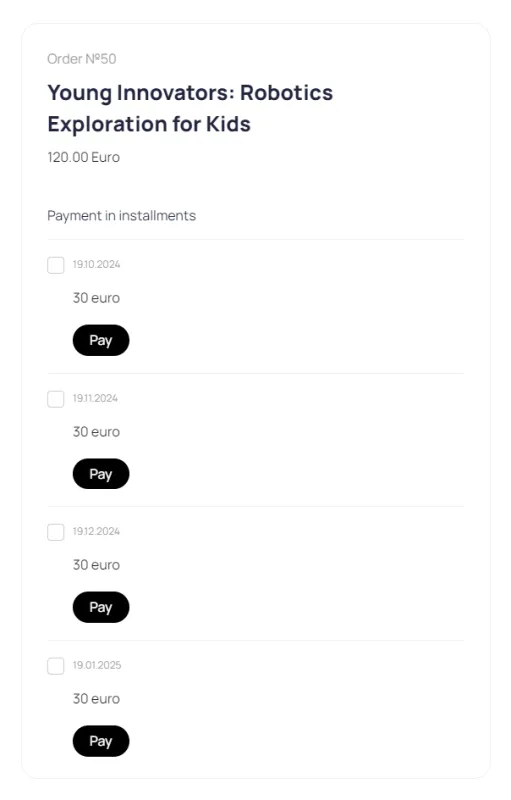
The administrator can split the invoice for a digital product into several parts and send the client a payment link.
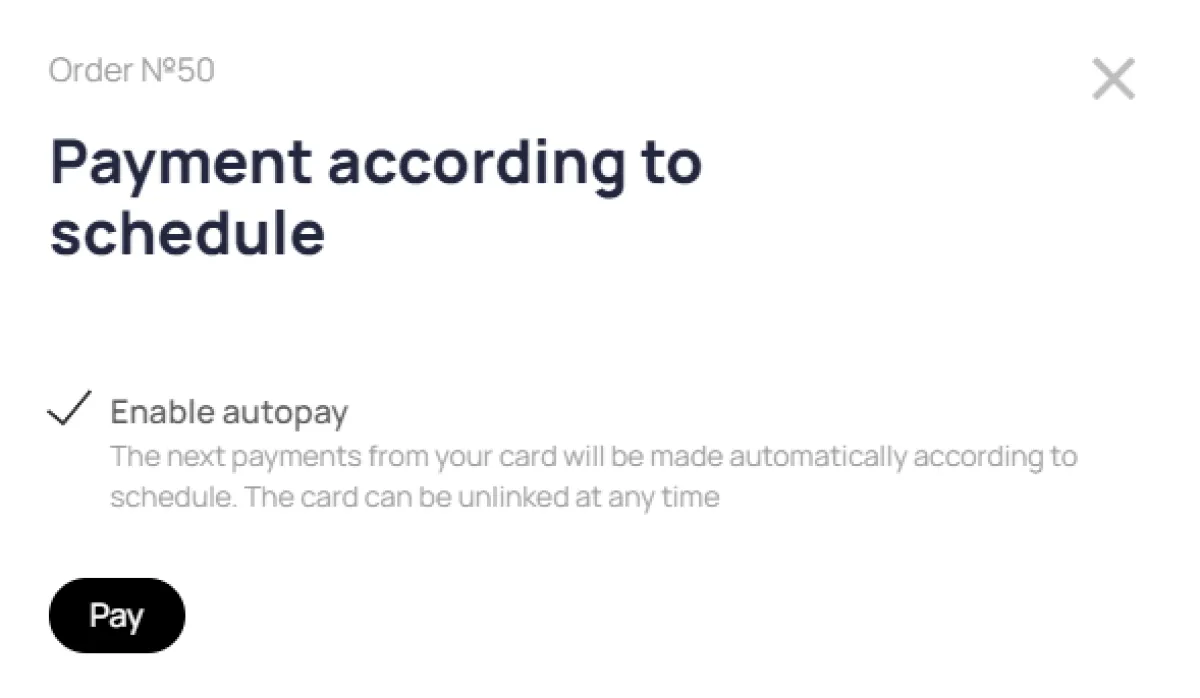
You can split a client's payment into several installments. Payment can be made by card using a special link. If desired, the client can enable autopayments, which will automatically debit their card according to a set schedule.
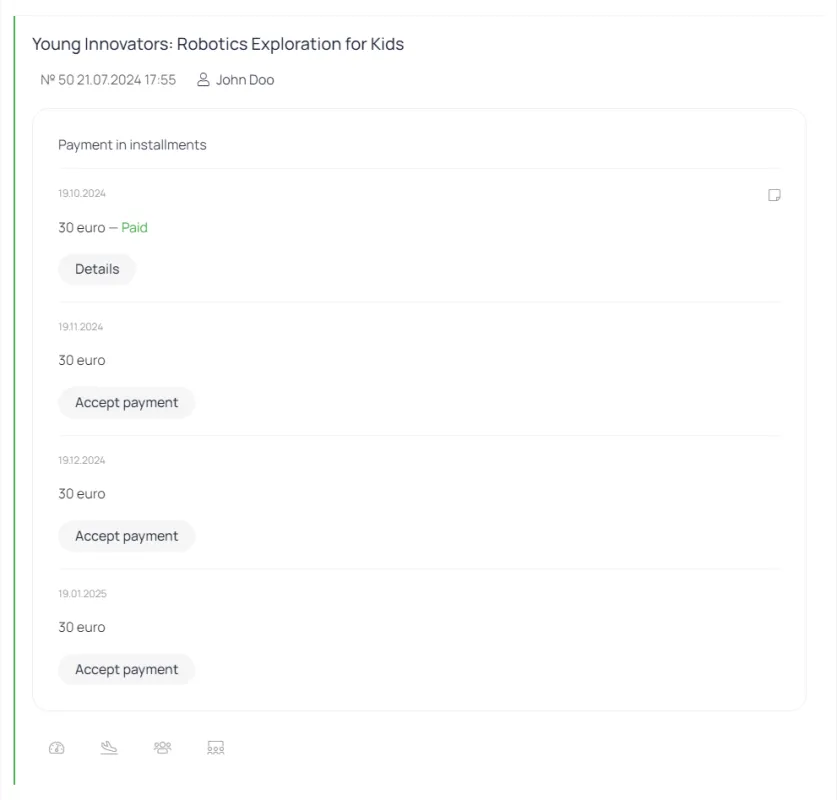
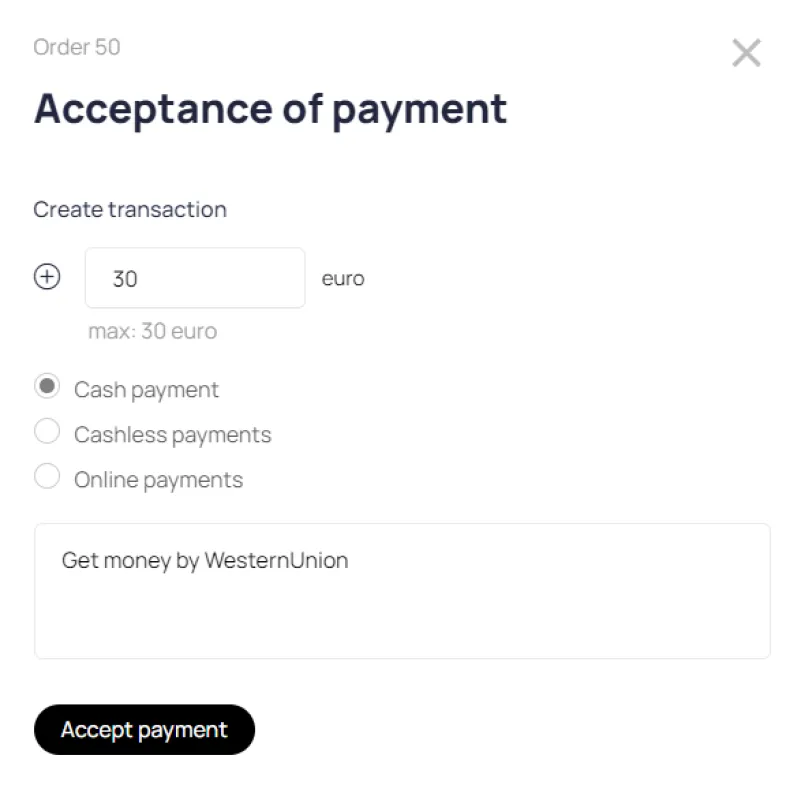
The payment schedule is generated on the digital product order card.
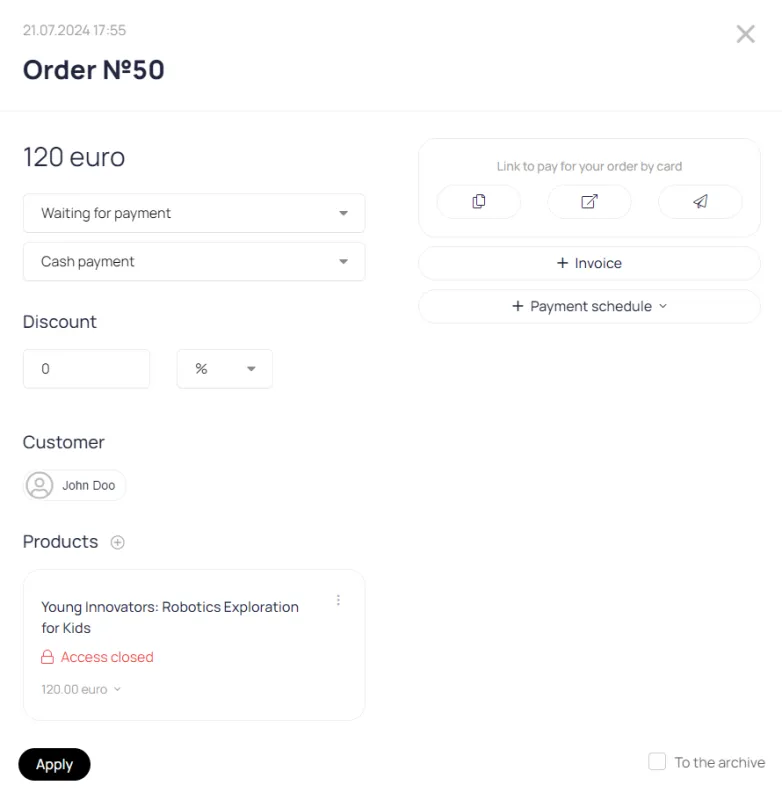
Specify how many parts you want to split the payment into and click the Create Payment Schedule button.
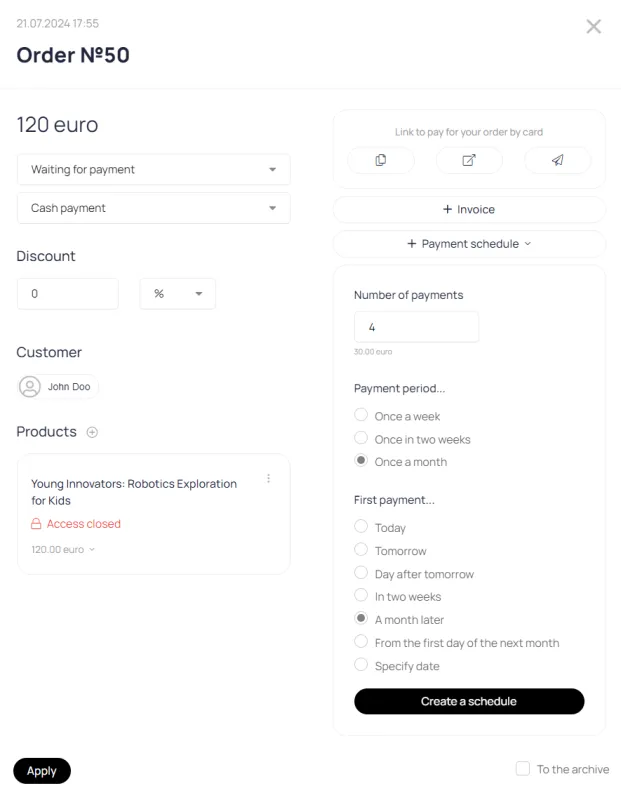
If necessary, payment dates can be adjusted manually.
The system will automatically collect the payment and create a schedule at various intervals.
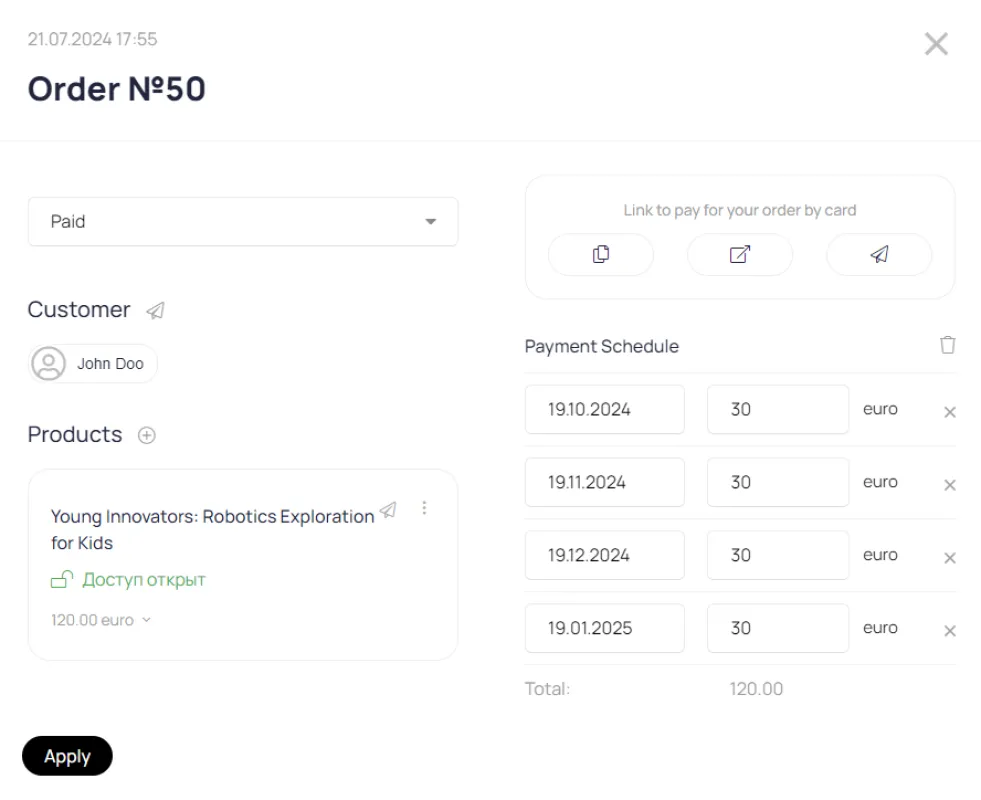
Send the customer a link to the order payment page
The user will receive reminders about the need to make payments according to the schedule by e-mail.