Forms
Create a form and post it in your dashboard or on your website. Responses are immediately added to your CRM as requests.
Forms can be published in your personal account or on any website. Data submitted through the form is automatically entered into the built-in CRM for further processing of the application.
Tool usage scenarios
Education
Sign up for a trial lesson or a consultation on choosing a course
Law and consulting
Clients leave requests for consultations
Collecting feedback
Customers submit reviews about the company and its products
Updating user data
Send a link to the form to your current clients. The data they fill out will automatically be added to their contact card in the CRM.
Polls and voting
Users submit their vote or information as part of a poll or vote
Technical support service
Customers submit tickets describing their problem.
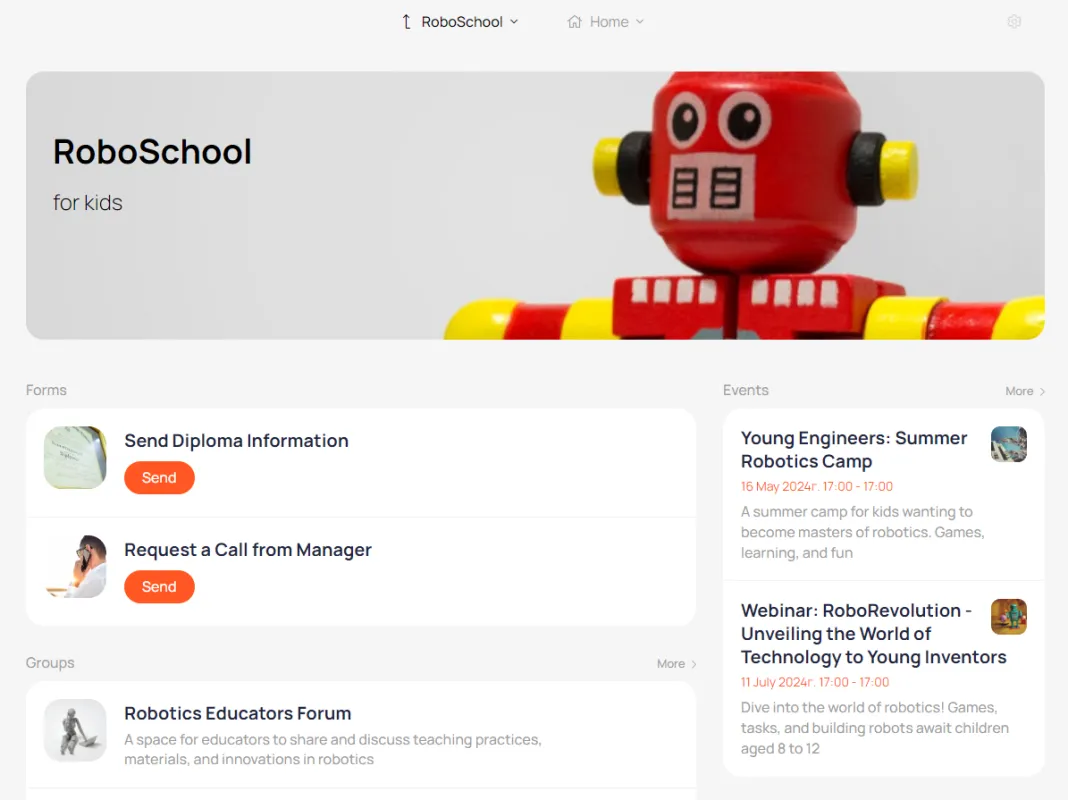
This is what the forms look like on the main page of the Account
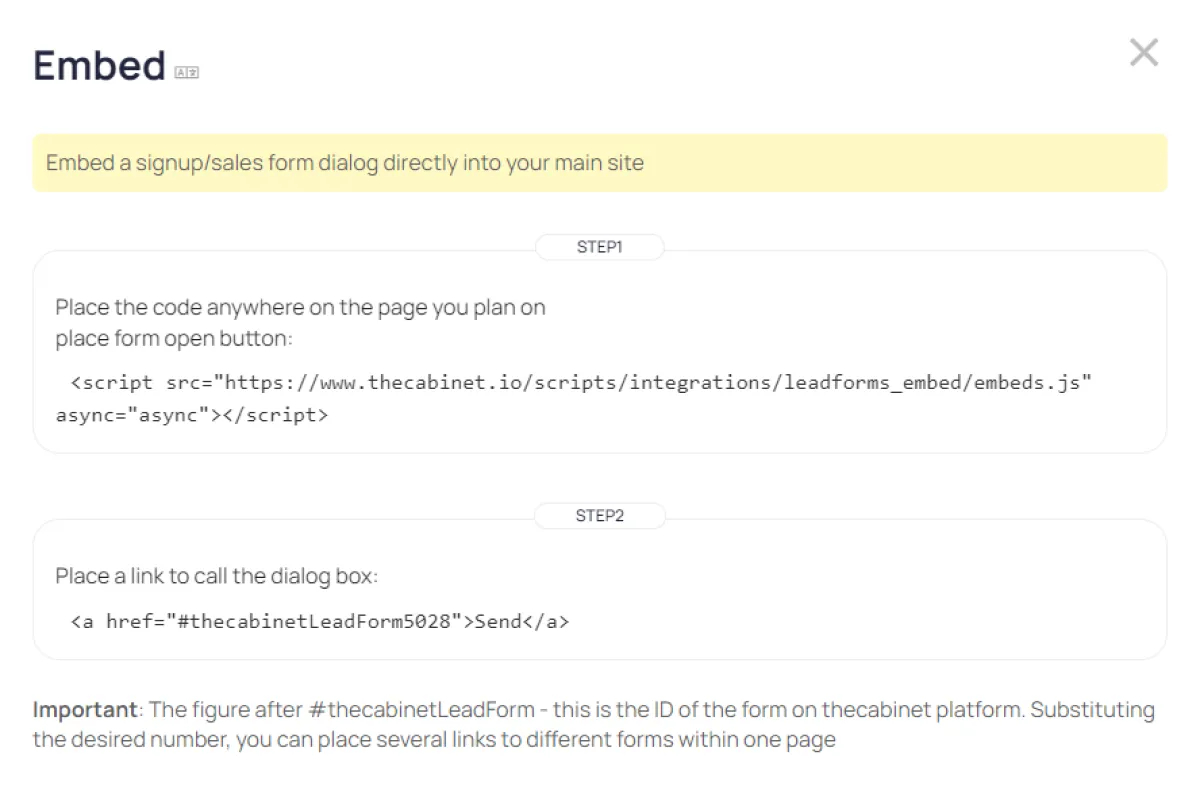
The form call button can be inserted directly into your main website.
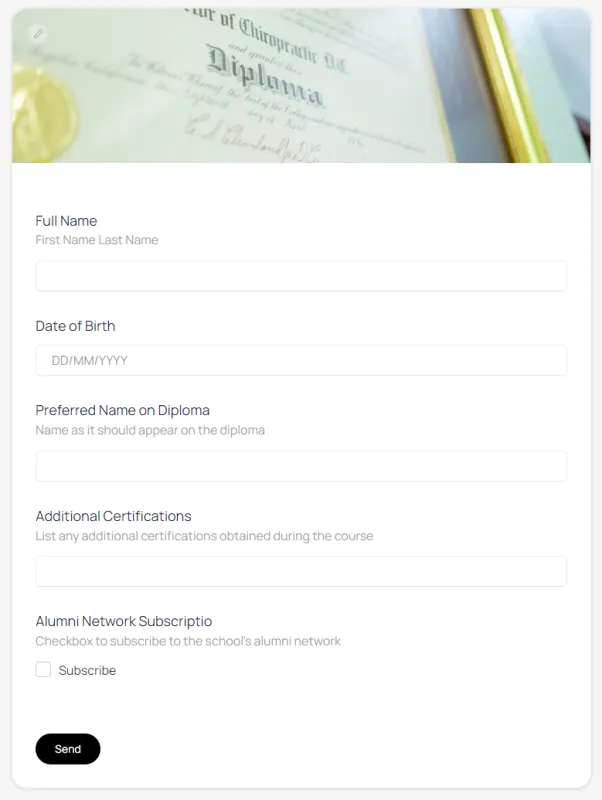
Field formats, headings, and tooltips are customizable
The form call button can be placed on any website.
All applications are submitted to the application processing module.
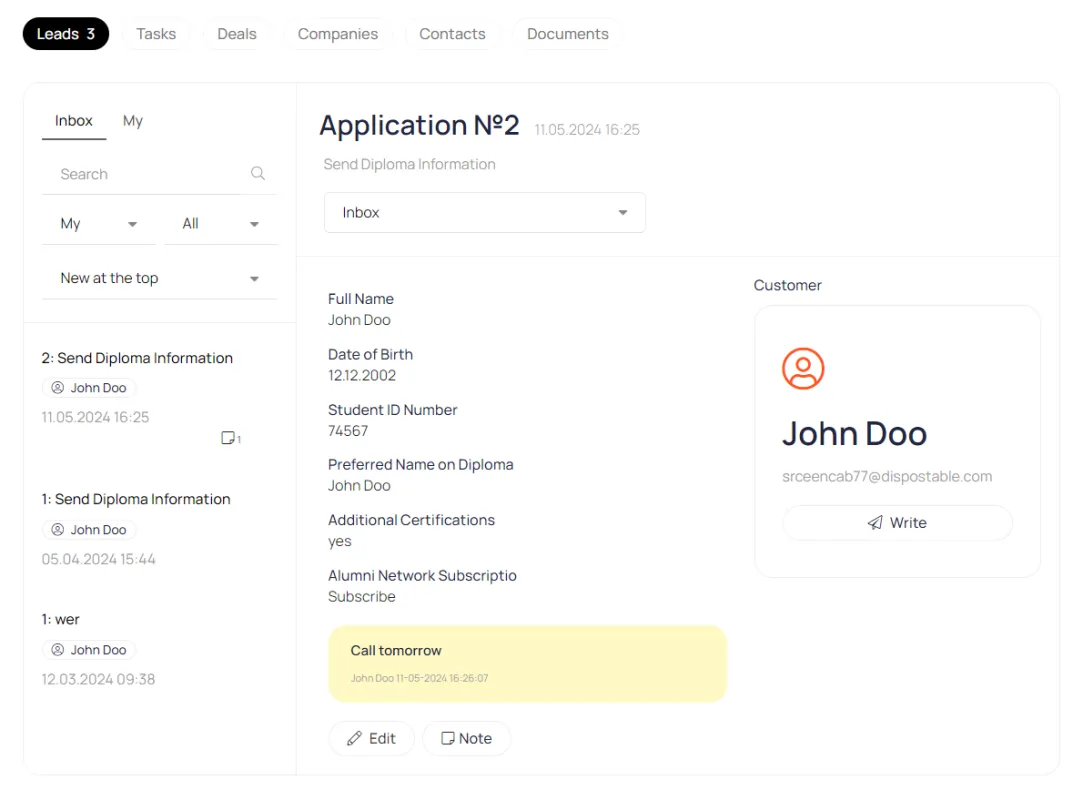
Export to Google
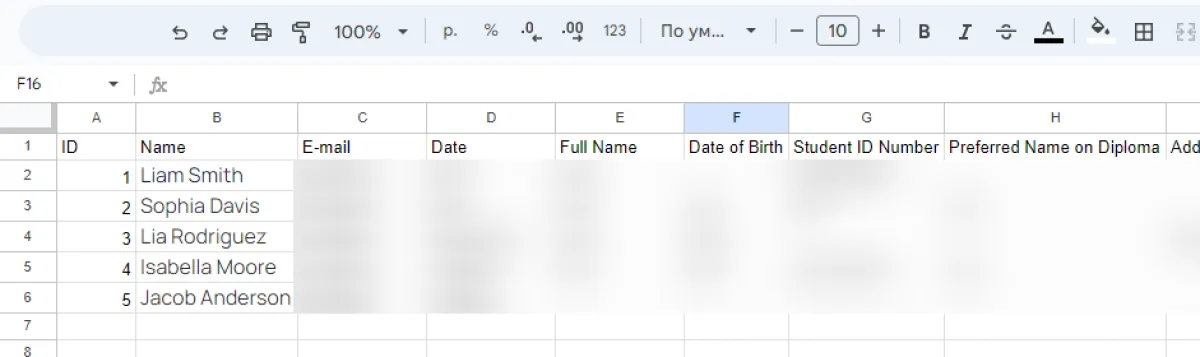
New application data can be exported to Google Spreadsheets. This Google data can then be transferred to any platform using Google Spreadsheets integrations.
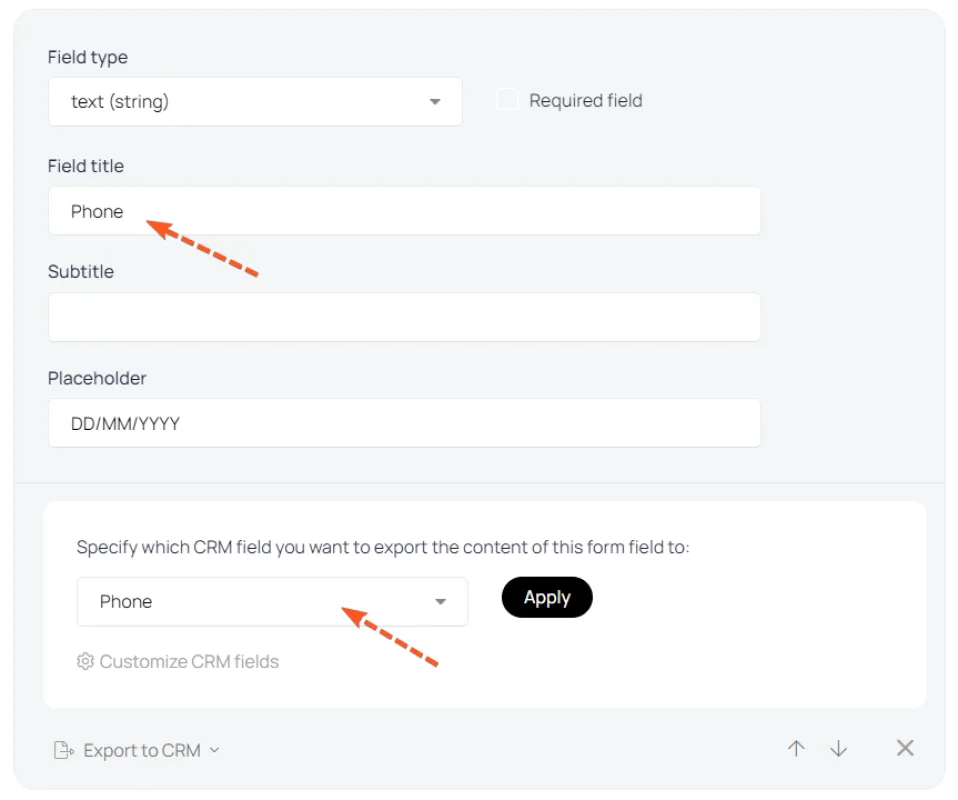
Export to contact card
Data from forms can be transferred directly to the contact card. This way, you can request additional data from users, which will be automatically entered into the contact card.
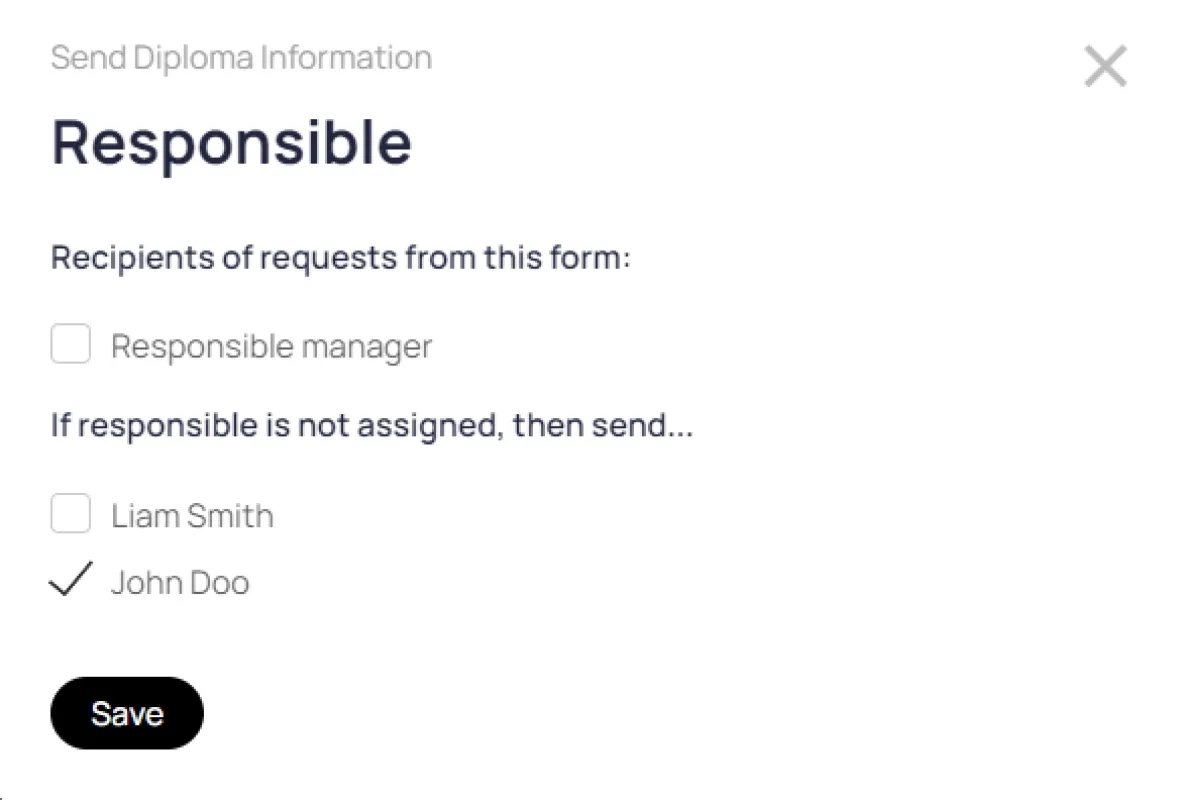
Distribution of applications
For each form, you can specify which manager will receive applications.
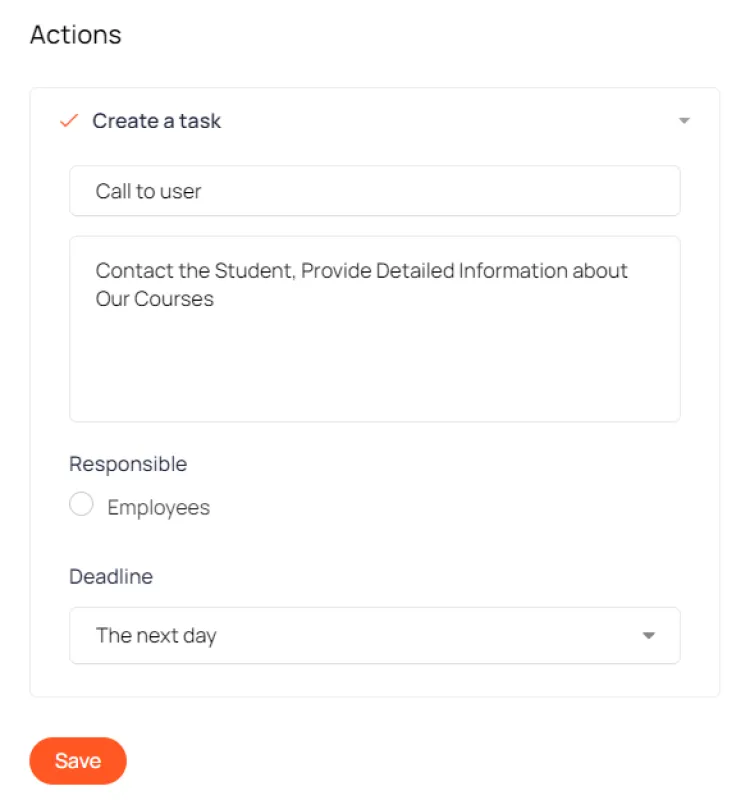
Auto-actions
When creating a request through the form, you can set up an automated action. This could be a task for a manager, an automated email, access to a product, etc.