Starting checklist
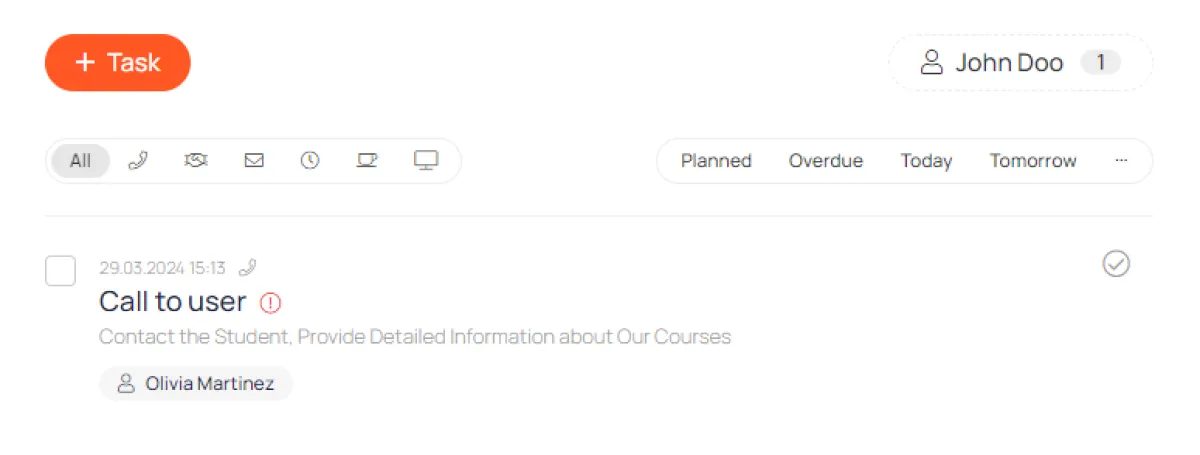
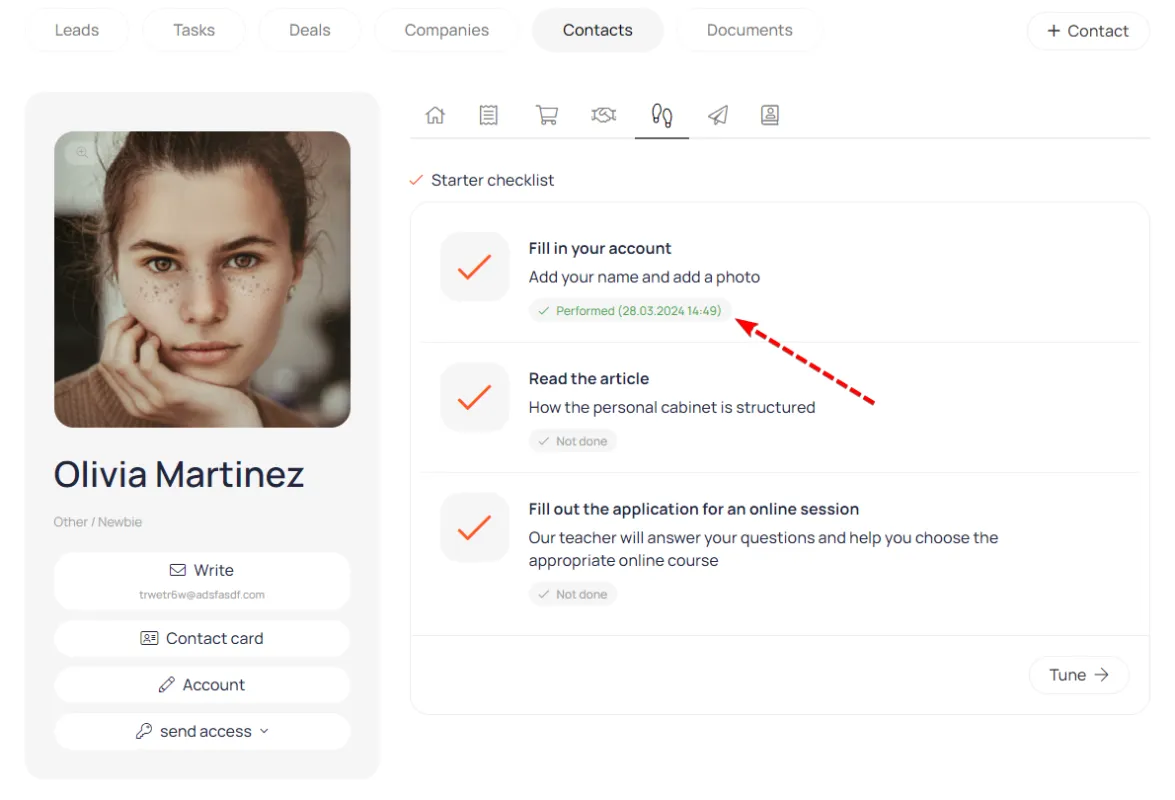
A list of items with a completion mark recorded in the CRM on the contact card
You can configure it so that after completing a task, the user can mark the item as completed. This information will be visible to the manager on the contact card in the CRM.
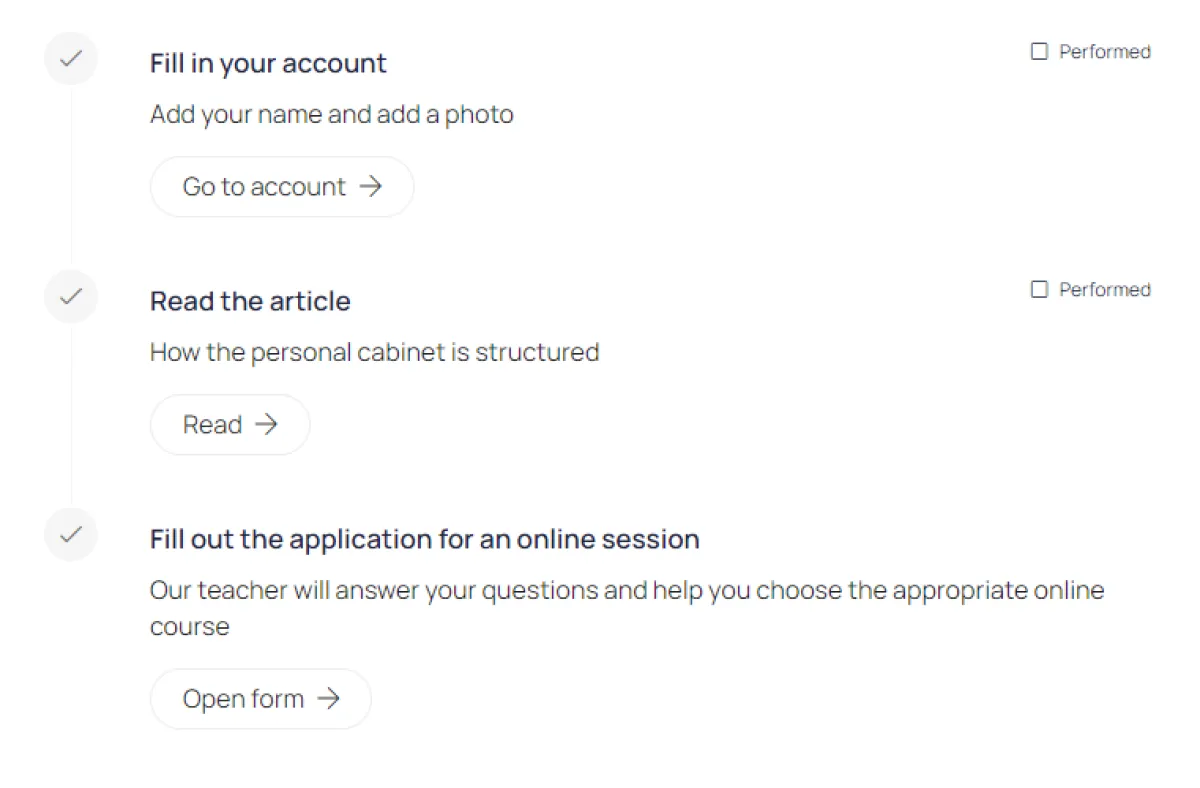
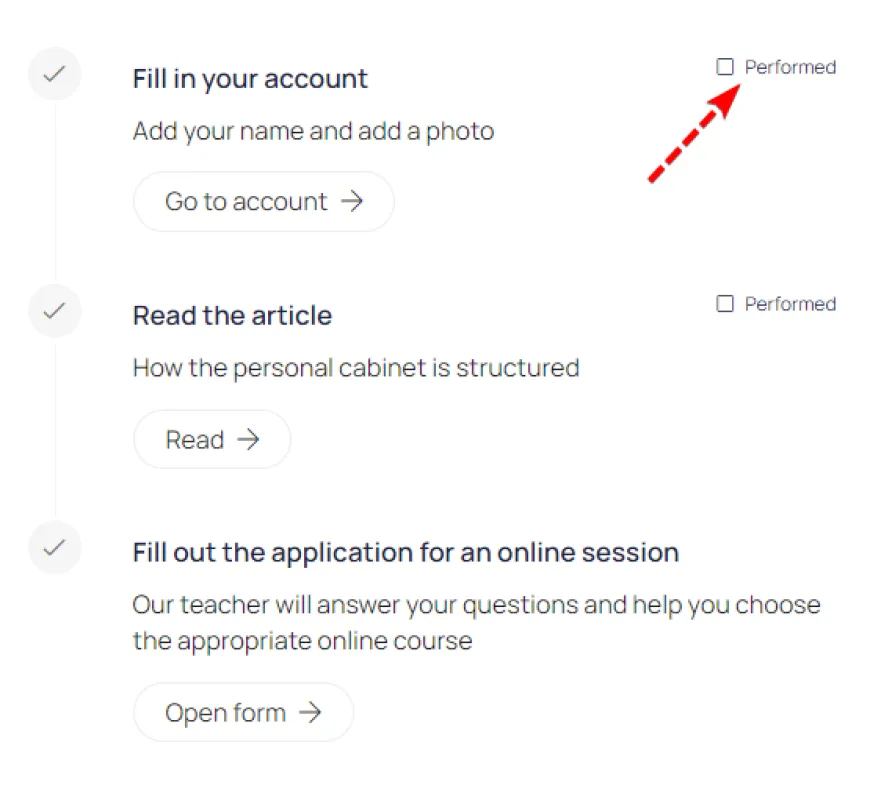
This is what the checklist looks like on the main page of the account.

The checklist item contains a title, description, and a transition button.
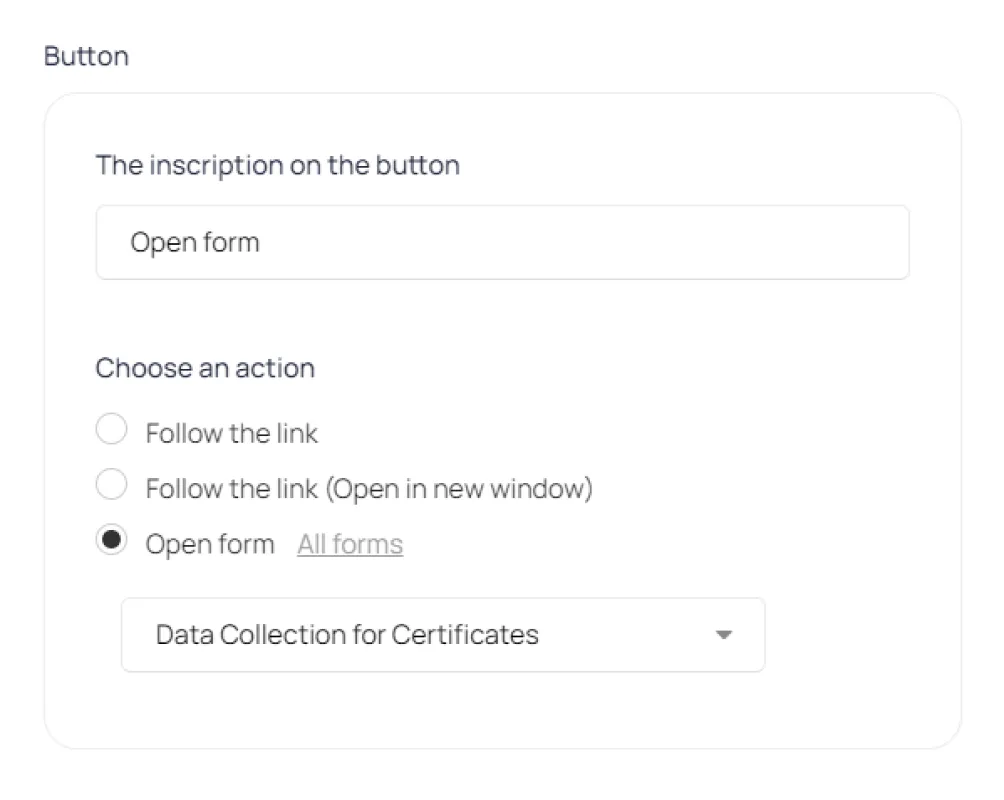
Clicking on a button can lead to a specific page or open a form.
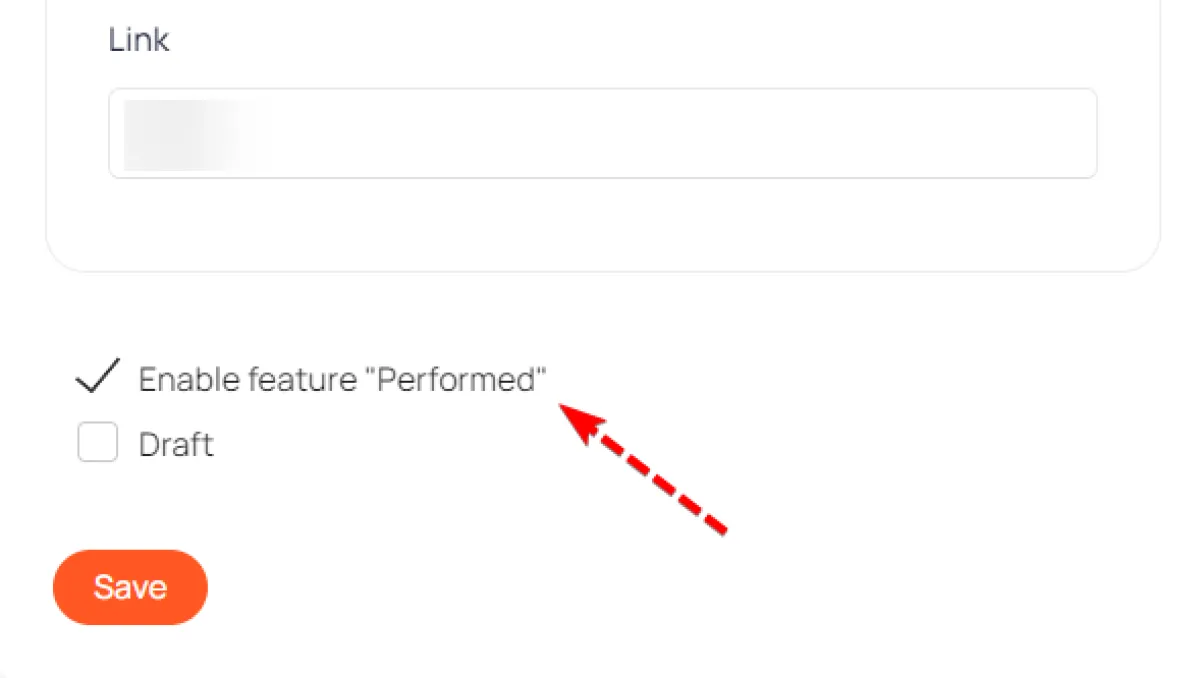
Check this box if you want users to mark the checklist item as completed.
The user marks that he has completed the item
Information about the completion of a checklist item is saved on the contact card in the CRM
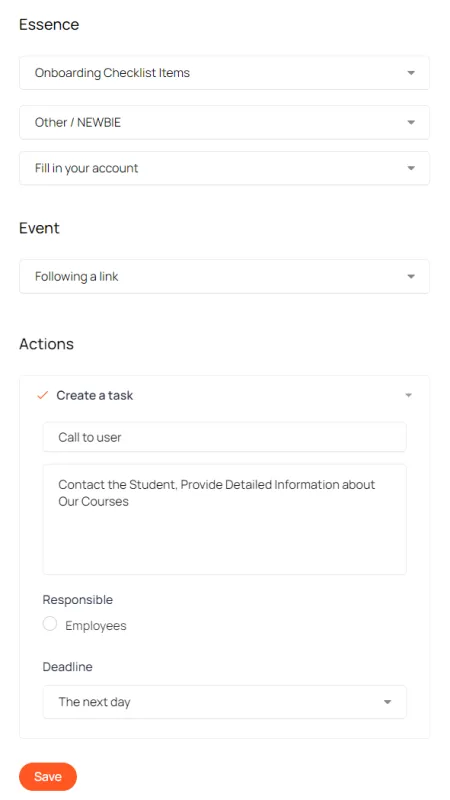
Auto-actions
When you mark an item as completed, you can perform an automatic action. This could be sending an email, creating a task, etc.